
Learn · Design codes and checks · Lesson 4 of 5
Your standards in a spreadsheet: templates and export
You willWrite your studio’s standards in an Excel or CSV template, import them with every row checked, and export any pack to change.
Time6 min
Why it mattersMost studios keep their standards in a spreadsheet. A template turns it into checks without retyping, and export starts you from any code.
Try it in Plotlay → Opens an example project with this lesson beside it. Nothing to install.
Steps
- Choose Site, then Design codes. Under Import a pack, beside Download a template:, choose Excel. CSV, JSON and YAML templates are there too.
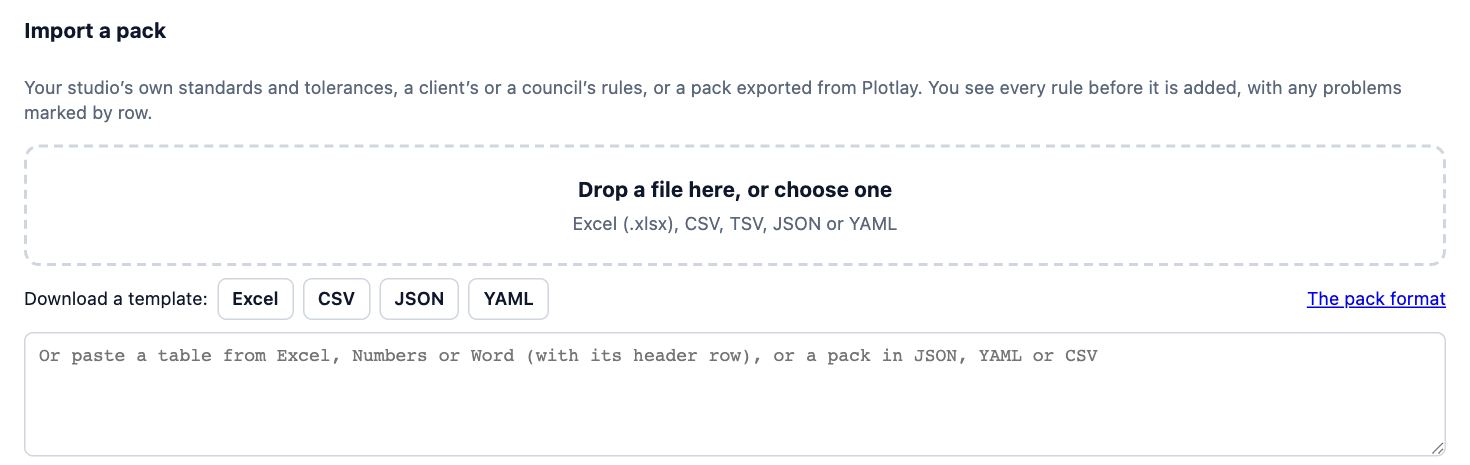
- Open the workbook. On the Rules sheet, fill in one rule per row: its name, what it applies to (rooms, openings, fitout), what is measured and the figure. Each column has a dropdown or a note saying what it takes, and the Instructions sheet has worked examples.
- Give each figure one of three ways: a comparison and a limit (>= and 1000), a minimum or a maximum, or a target and a plus or minus (850 and 20 for 850 ± 20). Lengths can be in mm, cm or m. Put the pack’s name on the About the pack sheet.
- Back in Design codes, drop the file on Drop a file here, or choose one. The preview lists every rule, and marks any problem on its row, such as a unit that doesn’t match what is measured.
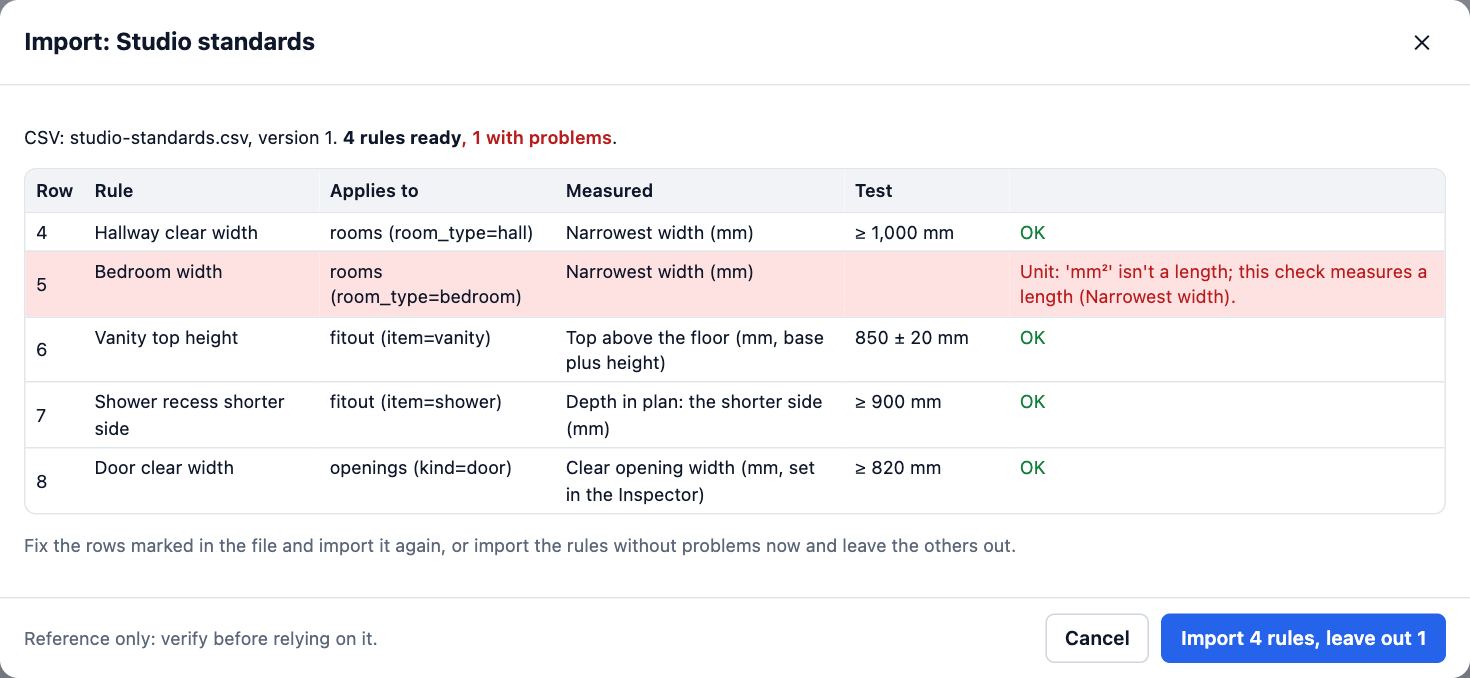
- Fix those rows and drop the file in again, or choose Import to add the rules without problems now. The pack is listed under Used on this project, ready to check.
- To start from a code you already have, choose Export… beside a pack, then Excel. A built-in code comes out as your own copy: change its figures, import it, and the built-in code stays as it is.
Tips
- Headers don’t have to match exactly: Min, Minimum and At least all read as the minimum, and a unit in brackets (Minimum (m)) applies to the column.
- A CSV saved in Europe, with semicolons and decimal commas (1,2), reads as it is. So does a table copied from Excel or Word and pasted into the box.
- Exported and imported again, a pack comes back exactly as it was, so the spreadsheet can be where your standards live.
- Vanity heights, shower sizes and bench heights are measured on the fit-out you place: set an item’s height in the Inspector, and the check reads it.
Common mistakes
- Leaving the unit out of a figure in metres: 1.2 with no unit is read as 1.2 mm, and the preview warns you. Put m in the Unit column.
- Expecting Plotlay to read rules out of a PDF or a Word document: it reads tables and pack files. Have an AI agent build it reads a document for you, and you review each rule.
- Importing an exported built-in code and expecting the built-in to change: it comes in as your own copy, so other projects keep the published code.
Words in this lesson
- Fit-out
- The fixed things that go into a room: vanities, toilets, kitchen runs, appliances, lights and joinery. Fit-out is placed against a wall and built in 3D.
- Design code
- A set of planning or building rules for a place, such as a state’s planning code, built into Plotlay as a pack of checks. Choose the codes that apply to each project.
- Rule pack
- A group of checks with their limits, sources and versions: a built-in design code, your own template, or one imported from a file. A project keeps the version it was checked against.
- Template (your own rules)
- A rule pack you make yourself, such as an estate’s design guidelines or a builder’s standards, with your own limits and tolerances. Save it to your library to use again.
Related lessons
Make your own template with tolerancesTurn an estate’s guidelines, a by-law or a client brief into checks with limits, tolerances and warn bands.5 minImport a rule pack and review agent rulesBring in a pack as a file (Excel, CSV, JSON or YAML) or pasted text, check it in the preview, and confirm rules an AI agent entered.4 minRun a check and read the resultsCheck the design against its codes and read each PASS, WARN, FAIL and UNKNOWN with its clause.4 min
Steps checked in the app on 2 November 2026.