
Learn · Design codes and checks · Lesson 4 of 4
Import a rule pack and review agent rules
You willBring in a pack as a JSON, YAML or CSV file or pasted text, and confirm rules an AI agent entered.
Time4 min
Why it mattersA pack written once checks every project the same way, and rules an agent typed stay marked until a person checks them.
Try it in Plotlay → Opens an example project with this lesson beside it. Nothing to install.
Steps
- Get the pack from a council, an estate developer or a colleague, or write one to the pack format (The pack format link in the panel).
- Choose Site, then Design codes. Under Import a pack, choose Import a file (.json, .yaml, .csv)…, or paste the text into the box and choose Add pasted pack.
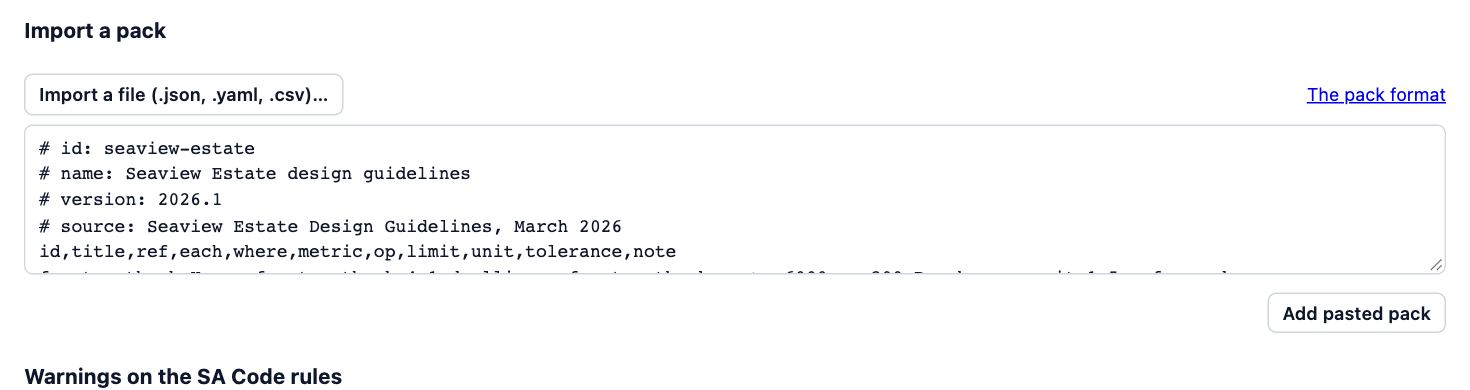
- The pack is added under Used on this project at its version. Importing a newer version of a pack the project already uses asks first, and keeps the old version in its history.
- A pack an AI agent built through the connector shows how many rules it has to review. Choose Rules beside it.
- Rules the agent entered say Agent entered, not reviewed. Check each against its clause in the source, then choose Confirm, or Confirm all once every one is right.
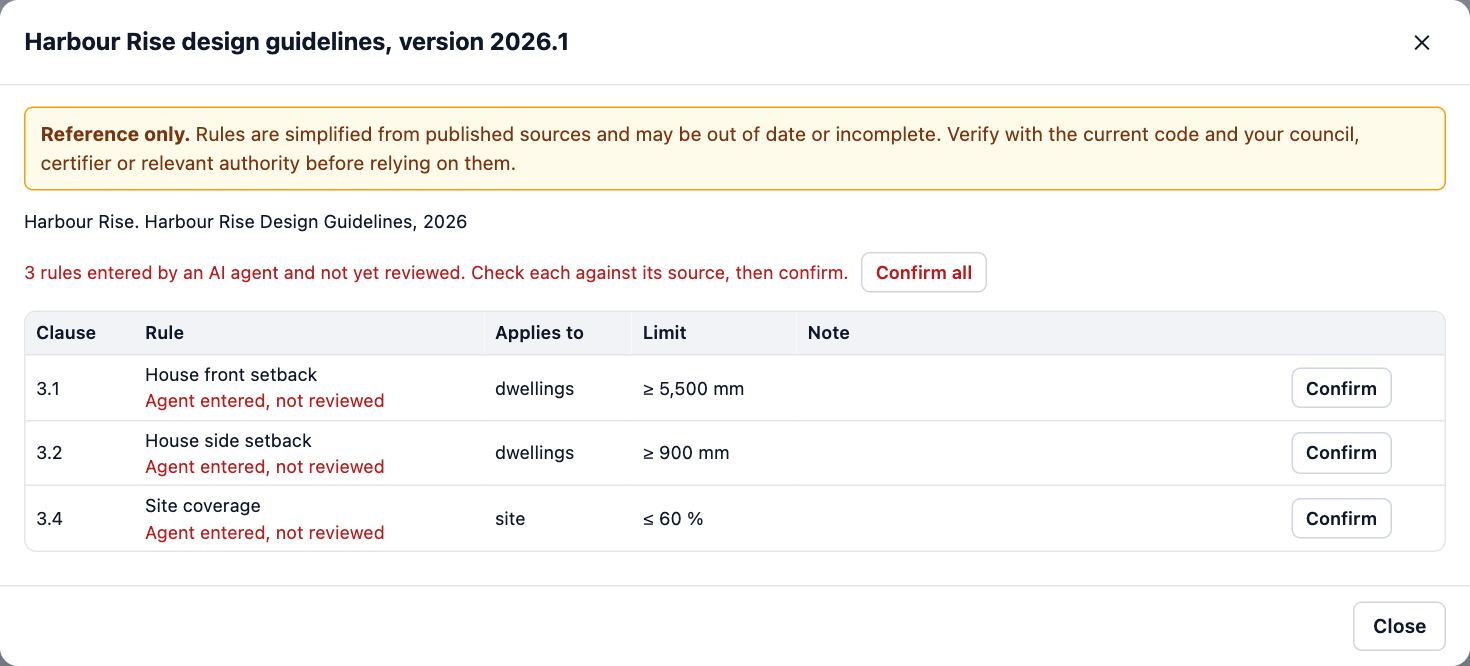
- Until then, the Compliance check and its PDF say the report includes rules entered by an AI agent and not yet reviewed.
Tips
- In CSV, each rule is a row, with the pack’s name and version on # key: value lines above the header row.
- To change a pack someone else wrote, use Copy and change, so the original stays as published.
- An agent can read a guidelines PDF and build the pack for you. Confirming each rule is still a person’s job.
Common mistakes
- Choosing Confirm all without opening the source: confirming means a person checked each rule.
- Pasting a pack with a mistake in it: Plotlay names the rule and field that is wrong. Fix it and choose Add pasted pack again.
Words in this lesson
- Design code
- A set of planning or building rules for a place, such as a state’s planning code, built into Plotlay as a pack of checks. Choose the codes that apply to each project.
- Rule pack
- A group of checks with their limits, sources and versions: a built-in design code, your own template, or one imported from a file. A project keeps the version it was checked against.
- PASS, WARN, FAIL and UNKNOWN
- The results of a check. UNKNOWN is not a pass: Plotlay is missing a measurement or a fact to tell, and the note says which.
- Entered by an AI agent (needs review)
- Rules an AI agent added are flagged until a person reads and confirms each one, so a made-up limit can’t pass unnoticed.
Related lessons
Make your own template with tolerancesTurn an estate’s guidelines, a by-law or a client brief into checks with limits, tolerances and warn bands.5 minAsk the connector for plansWrite requests the connector carries out well, then check and adjust its work in the app.4 minRun a check and read the resultsCheck the design against its codes and read each PASS, WARN, FAIL and UNKNOWN with its clause.4 min
Steps checked in the app on 14 October 2026.