
Learn · Everyday know-how · Lesson 5 of 6
Where your data lives
You willKnow what stays on your device, what goes to your account, how you sign in and how to cut off access.
Time3 min
Why it mattersPlans show people’s homes. Knowing where they are kept, and who can open them, lets you share with confidence.
Try it in Plotlay → Opens Plotlay with this lesson beside it. Nothing to install.
Steps
- Without an account, projects and photos stay in this browser on this device. Nothing is sent to Plotlay.
- Choose Sign in to keep projects in your account too, so they open on any device. There is no password: Email me a sign-in link sends a link and an 8-digit code. Synced projects are stored in Sydney, Australia.
- Choose Account (your initial, top right). Under Passkeys, Add a passkey lets you sign in next time with Face ID, Touch ID or Windows Hello.
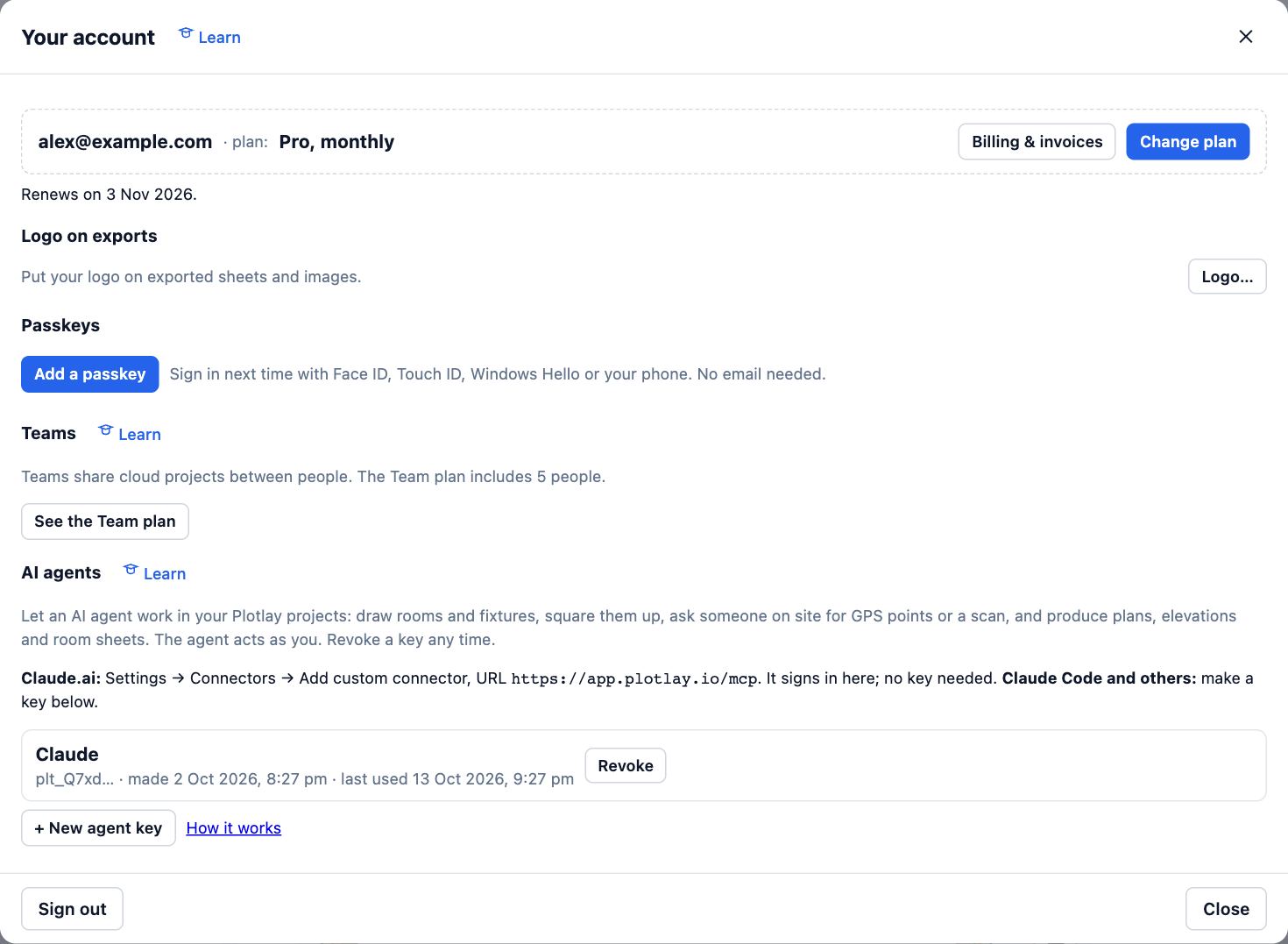
- Under AI agents, each agent key is listed. Revoke stops one at once; Plotlay keeps only a fingerprint of each key.
- Changing plan never deletes anything. Sign out leaves projects in this browser and the cloud copies in your account.
Tips
- Only you, your team, people you invite and holders of a link you made can open a cloud project. Links can end by themselves after 7 or 30 days.
- Plotlay Scan has no accounts. A scan leaves the phone only when you send or share it.
Common mistakes
- Signing in on a shared computer and walking away: choose Sign out when you are done.
- Thinking a deleted cloud copy also removes copies in other browsers: each browser keeps its own until you delete it there.
Words in this lesson
- Plotlay Scan
- The free iPhone and iPad app that measures rooms with LiDAR or by floor corners and sends them to a Plotlay project at true size.
- Connector (MCP)
- The way Claude and other AI agents work in your Plotlay projects as you, through the Model Context Protocol at app.plotlay.io/mcp.
Related lessons
Keep sharing under controlLimit what people see, end access when a job is done, and see who has been in.3 minConnect Claude or another AI agentLet Claude, or any agent that speaks MCP, work in your Plotlay projects as you, and disconnect it when you like.4 minStart, name and manage projectsStart a plan, give it a name, then duplicate or delete it from your project list.2 min
Steps checked in the app on 14 October 2026.