
Learn · Getting started · Lesson 3 of 8
Make something with Quick start
You willGet a furnished room, a house, a garden or a car park in a few taps, then change it, see it in 3D and share it.
Time3 min
Why it mattersQuick start does the layout by the rules a designer works to, so you start from something that fits.
Try it in Plotlay → Opens Plotlay with this lesson beside it. Nothing to install.
Steps
- On the dashboard, under Quick start, choose Bedroom. The other tiles work the same way: a room for work, a House, Rooms from a drawing, a Garden or a Car park.
- Answer the questions: who it is for, how big it is, the door and window, a look and what else it needs. Choose the rest for me skips straight to a layout with sensible answers.
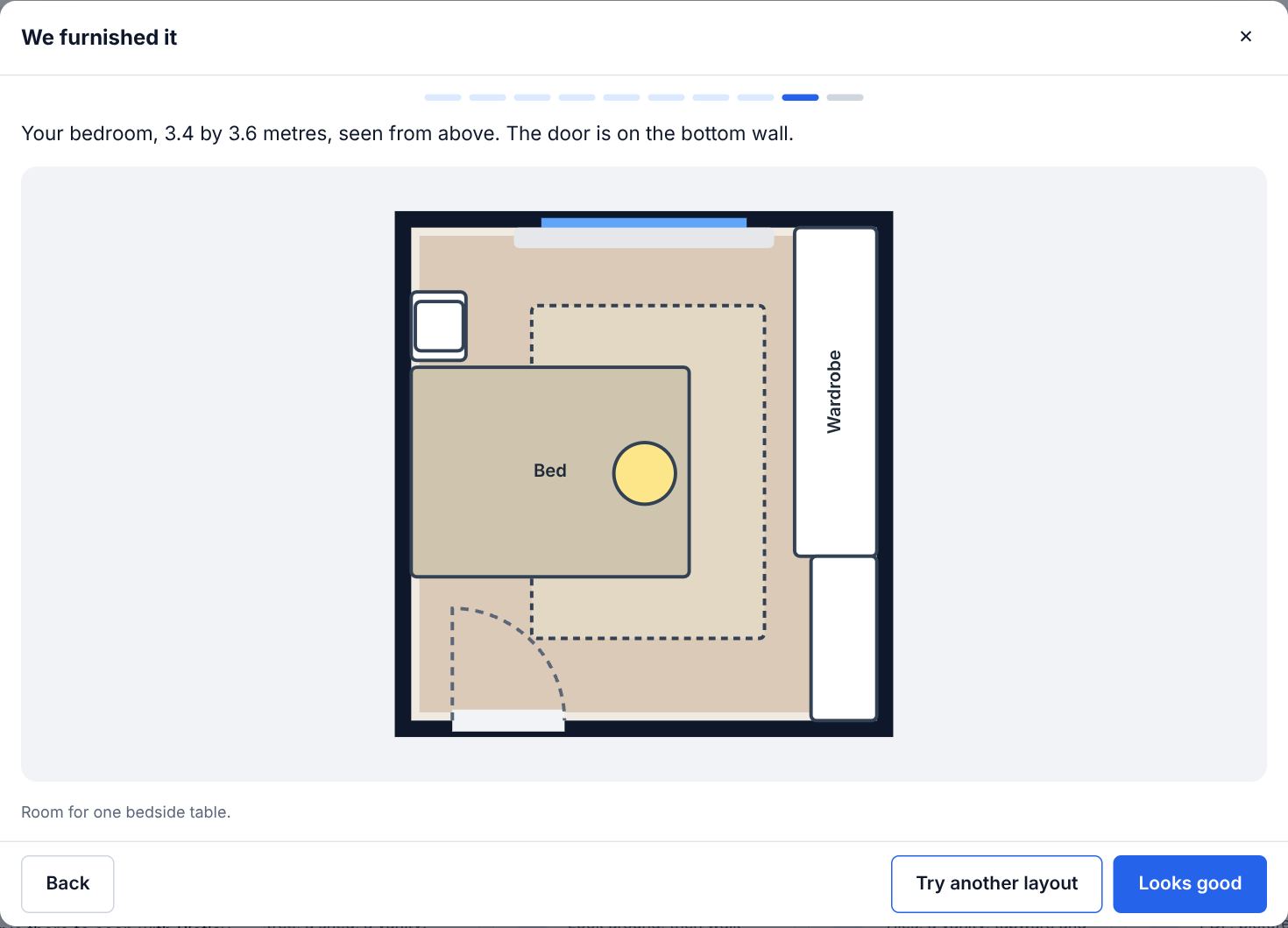
- Under We furnished it, Try another layout shows another arrangement. Choose Looks good when you like one.
- Under Make it yours, tap any piece to change its colour or style, move it or take it out; Add something lists what still fits.
- See it in 3D makes the project and opens it from the doorway.
- The card over it offers Make a photo, Share a link and Check it on site, which sends the rooms to whoever is there to scan with Plotlay Scan.
Tips
- Sizes can be typed to the centimetre: choose to give your own measurements on the size question.
- Everything it makes is ordinary rooms, walls and Library items afterwards, to change with any tool.
Common mistakes
- Guessing the size from a photo: measure the room, or scan it with Plotlay Scan, so the furniture really fits.
Words in this lesson
- Library
- Real-sized things to place, by category and subcategory: kitchen, bathroom, furniture, lighting, power, heating, stairs, outdoor, site, commercial, vehicles, plants. Search in your own words (GPO, countertop), filter, and star favourites.
- Plotlay Scan
- The free app for iPhone, iPad (App Store) and Android (Google Play) that measures rooms, with LiDAR or by floor corners, and sends them to a Plotlay project at true size.
Related lessons
Find your way round the dashboardKnow where to start a job, continue a project, open an example or get help.1 minWalk through your plan in 3DTurn the plan into a 3D model, walk through it at eye height, tour the rooms, compare design options and save a picture.4 minEasy, Standard or Pro: how much showsChoose how much of Plotlay is on screen, and get every tool back when you need it.2 min
Steps checked in the app on 22 October 2026.