
Learn · Teams and admins · Lesson 3 of 5
Plans and limits
You willKnow what each plan includes, what sharing it pays for, and where to change plan.
Time3 min
You needA Plotlay account. Every drawing and export tool is free without one.
Try it in Plotlay → Opens an example project with this lesson beside it. Nothing to install.
Steps
- Choose Account (your initial, top right). It says your plan, such as Free plan, and when it renews.
- Choose Upgrade (or Change plan on a paid plan) to see Plotlay plans: Project pass A$29 once for 30 days, Pro A$29 a month, Team A$99 a month for 5 people.
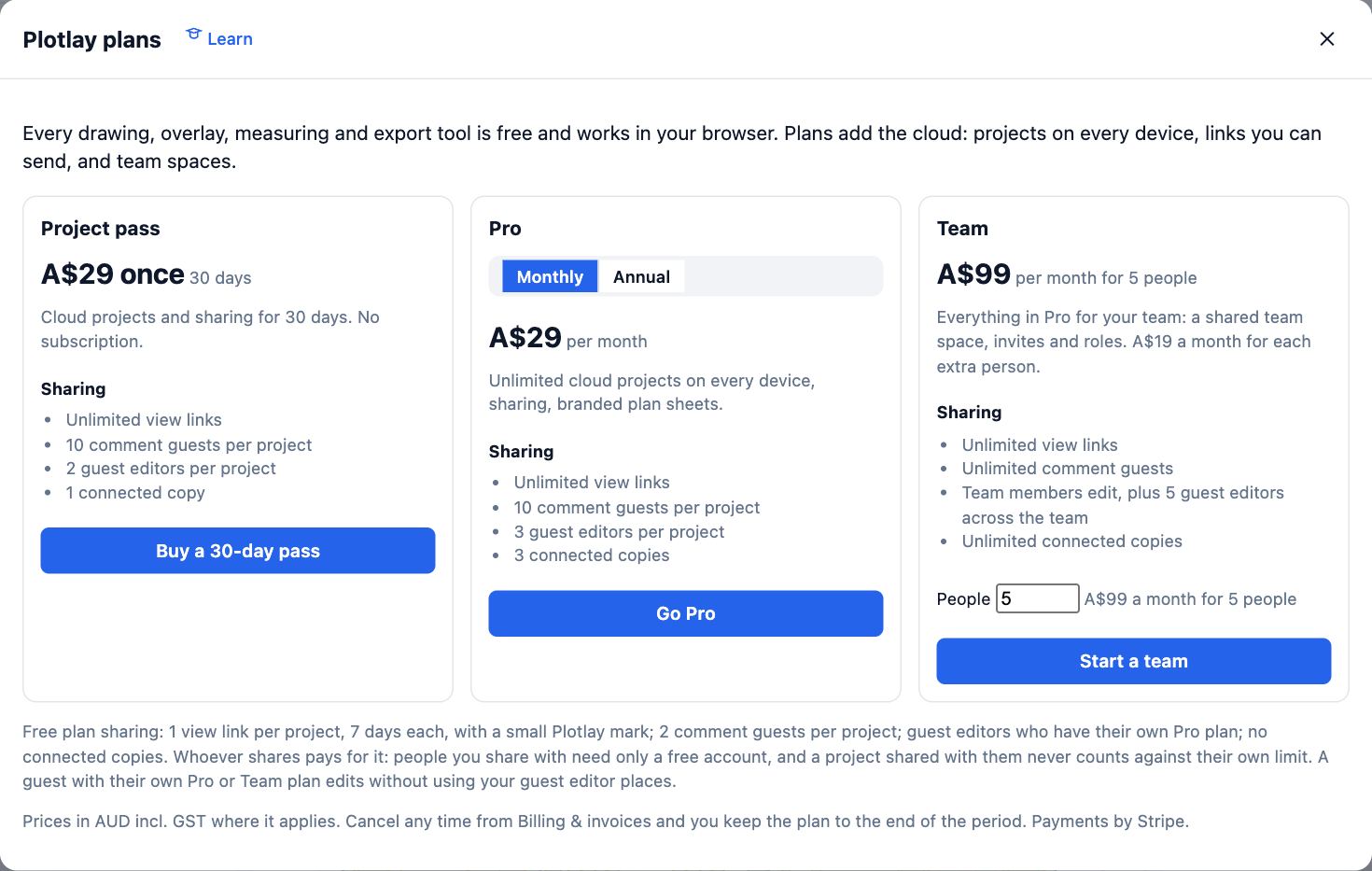
- For Pro, switch Monthly to Annual to see the yearly price, A$288 (A$24 a month).
- Each plan lists its Sharing: Free has 1 view link per project lasting 7 days, with a small Plotlay mark, and 2 comment guests; Pro has unlimited links, 10 comment guests and 3 guest editors per project.
- In a project, Share shows what your plan includes there and what is used. See plans opens the plans when you need more room.

Tips
- Whoever shares pays for the sharing: the people you share with need only a free account.
- Prices are in Australian dollars, including GST where it applies. Cancel any time from Billing & invoices and you keep the plan to the end of the period.
Common mistakes
- Worrying that a downgrade deletes things: nothing is removed. Existing guests, links and team members keep working, and only new ones wait until there is room.
- Buying Pro for each person in a group of five or more: the Team plan covers 5 people for A$99 a month.
Related lessons
Set up a teamStart a Team plan, invite the people you work with, and put projects in the team space.4 minInvite guests to a projectGive one person view, comment or edit access to a single project, and change or end it later.3 minStart, name and manage projectsStart a plan, give it a name, then duplicate or delete it from your project list.2 min
Steps checked in the app on 14 October 2026.