
Learn · Designers and builders · Lesson 6 of 9
Make a room pack
You willMake a PDF about chosen rooms: plans at scale, every wall, views inside and the finish and fit-out schedules.
Time4 min
Try it in Plotlay → Opens an example project with this lesson beside it. Nothing to install.
Steps
- In the Documents workspace choose Make a document, then A room pack.
- Under Rooms, choose Clear, then tick the rooms you want, such as the Family bathroom. Find a room filters a long list; Rooms that change picks the ones the proposal touches.
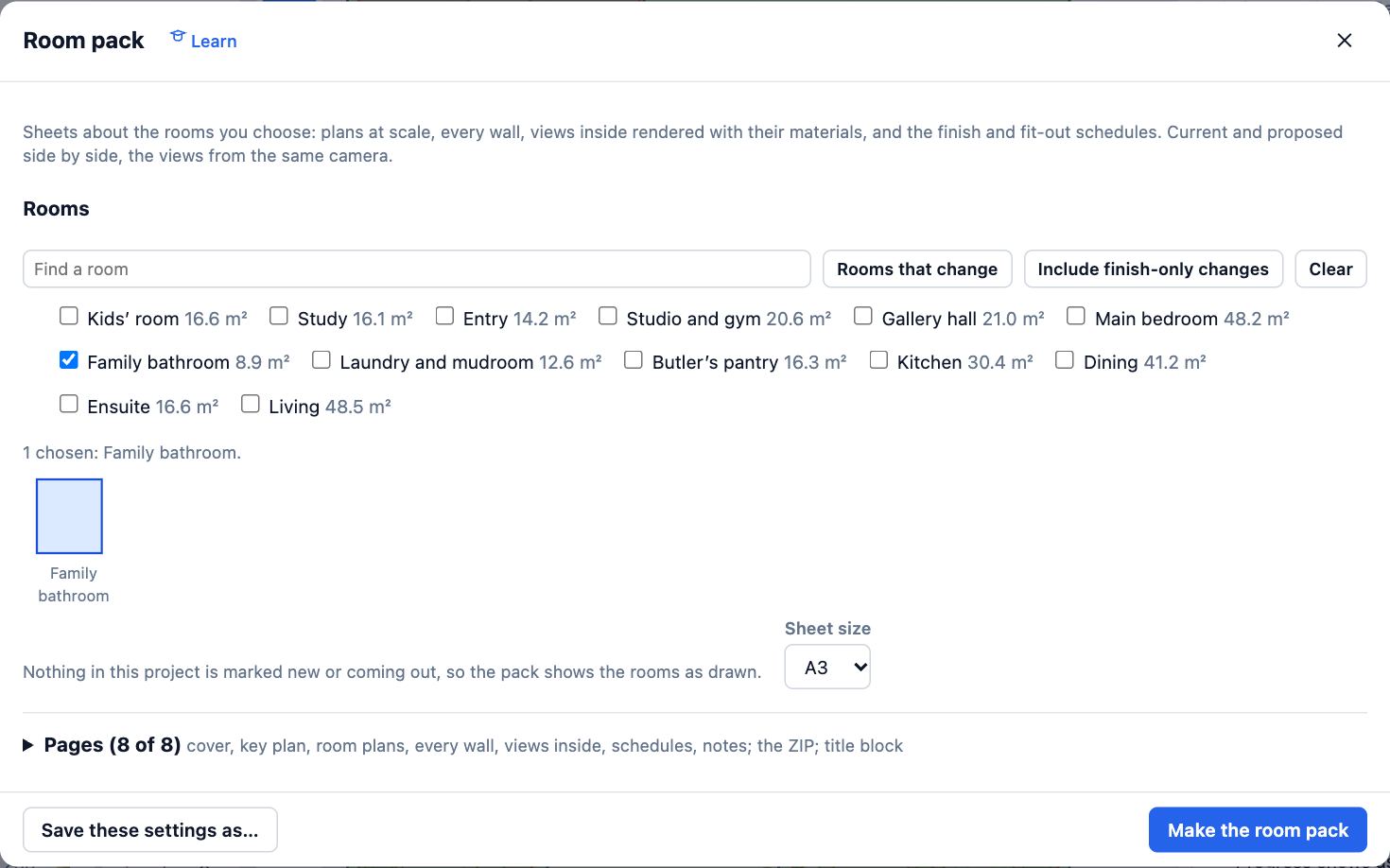
- Choose the Sheet size. Open Pages to choose which pages go in and whether you also want a ZIP of the pictures.
- Choose Make the room pack. Progress shows as it draws the walls and renders the views inside; then the PDF (and the ZIP) download.
- To make the same pack again later, choose Save these settings as… before you close the dialog.
Tips
- When rooms are marked new or coming out, Show offers Before, After or Both, side by side from the same camera.
- Room packs are a good brief for a tiler, cabinet maker or plumber: one PDF with every wall of their rooms.
Common mistakes
- Leaving the rooms from last time ticked: the pack remembers them, so Clear first.
- Closing the tab while it renders: the views inside take a minute on a slower computer. Wait for the download.
Related lessons
Save document settings and make them againKeep a room pack’s settings by name and make the same document again in one click after changes.3 minChoose finishes and add fit-out to a roomSet a room’s floor tile and paint, and place a fitting such as a towel rail against a wall to the millimetre.5 minIssue a drawing setMake one numbered PDF of plans, elevations, 3D views and schedules with your title block.4 min
Steps checked in the app on 14 October 2026.