
Learn · Designers and builders · Lesson 5 of 9
Issue a drawing set
You willMake one numbered PDF of plans, elevations, 3D views and schedules with your title block.
Time4 min
Try it in Plotlay → Opens an example project with this lesson beside it. Nothing to install.
Steps
- In the Documents workspace choose Make a document.
- Under What do you want to produce? choose A drawing set. Plotlay suggests the sheets from what the project has: A000 Cover, A101 Floor plan, A201 Elevations, schedules and more.
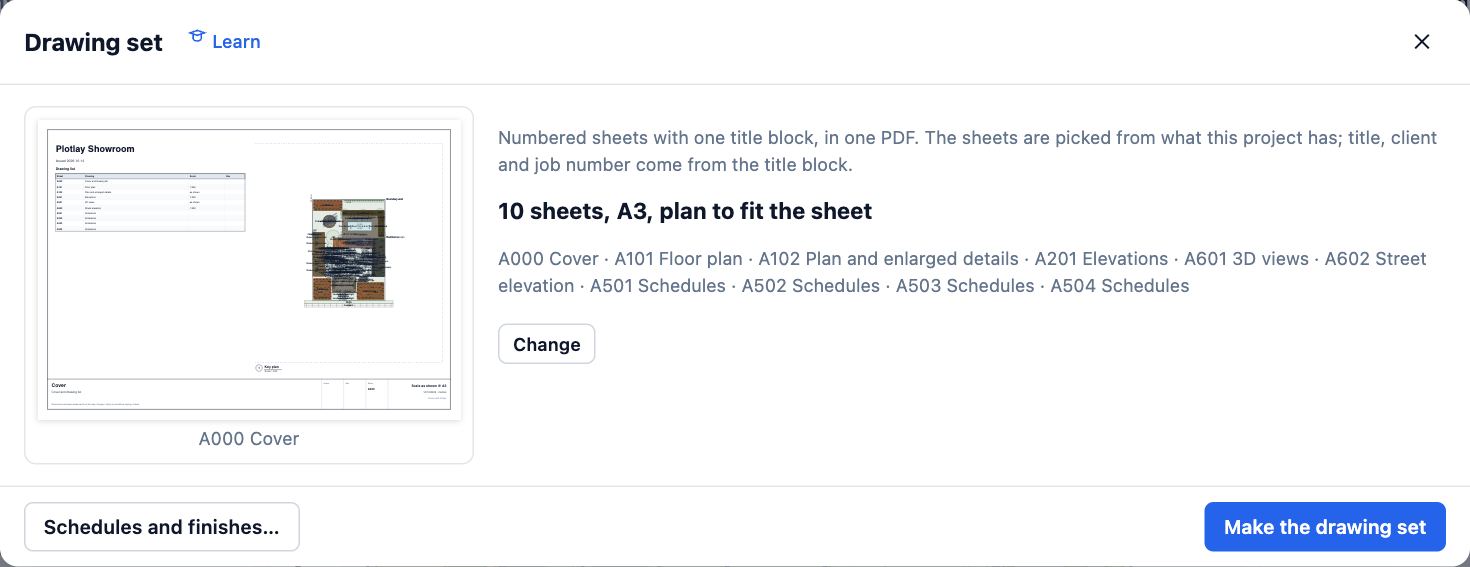
- Choose Change to pick the Sheet size, the Plan scale (or Fit to sheet) and which sheets go in, such as a sheet per room.
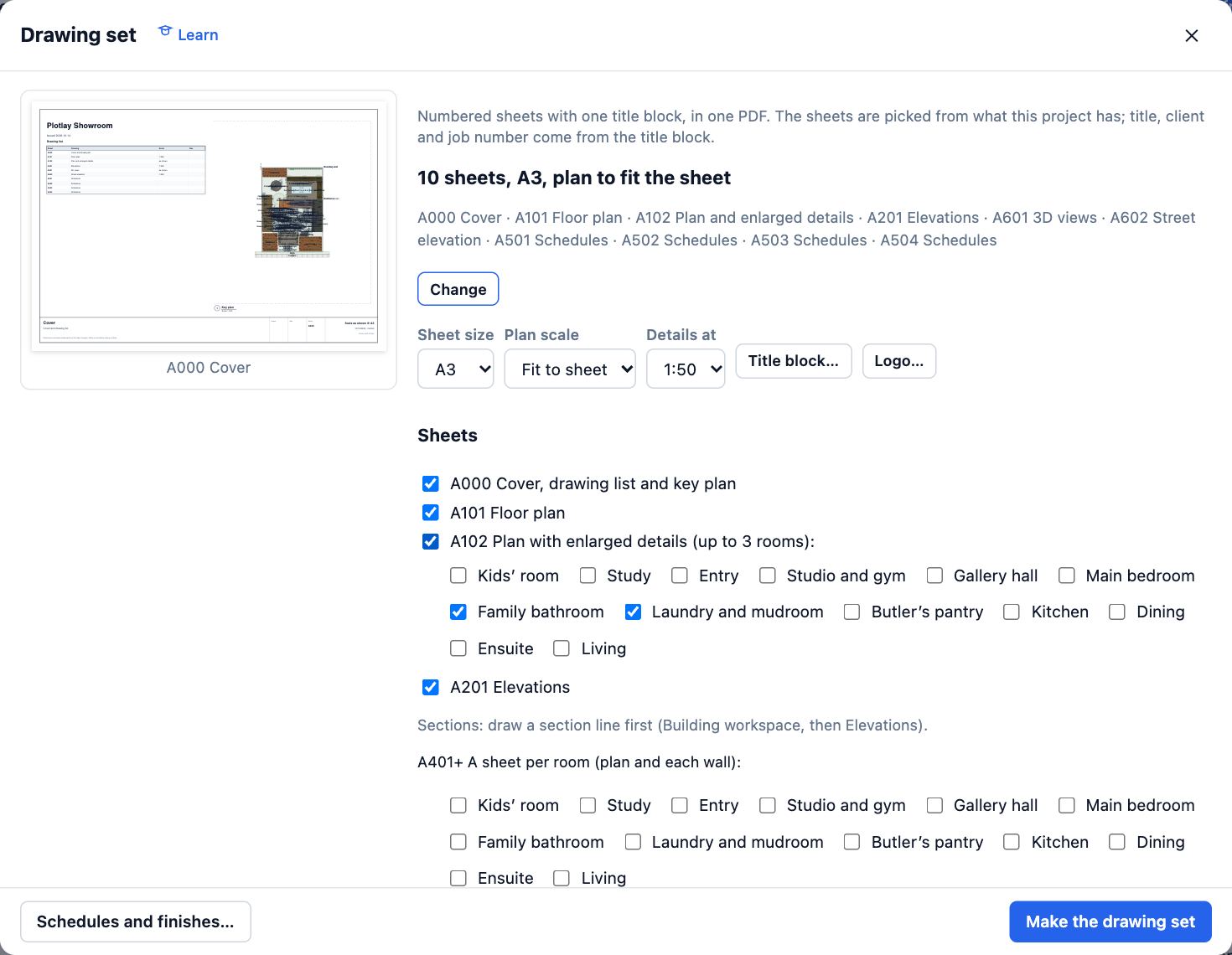
- Choose Title block… for the project title, client, job number, drawn and checked by, and the revision. It goes on every sheet.
- Choose Make the drawing set. The PDF downloads and is kept under Documents produced, so you can make it again after changes.
Tips
- Plans to lodge in the same list makes a development application set; see the councils path.
- Add a revision with a note (Issued for council) each time you issue, and it shows in the title block.
Common mistakes
- An empty plan: the set is made from the plan, so draw or open something first.
- No sections sheet: add a section line in Elevations first.
Related lessons
Make elevations and sectionsGet scaled outside elevations, sections and inside wall views from the plan, and download them as a PDF.4 minRead and download the schedulesGet the room, finish, door and window schedules on screen, fill in finishes, and download them as CSV.3 minMake the plans to lodgeProduce a numbered PDF set for a development application: compliance summary, site plan, elevations and schedules.4 min
Steps checked in the app on 14 October 2026.