
Learn · Designers and builders · Lesson 3 of 9
Choose finishes and add fit-out to a room
You willSet a room’s floor tile and paint, and place a fitting such as a towel rail against a wall to the millimetre.
Time5 min
Try it in Plotlay → Opens an example project with this lesson beside it. Nothing to install.
Steps
- In the Building workspace, click a room to select it, such as the Family bathroom in the Showroom.
- In the panel on the right, under Finishes and fit-out, choose Current (what is there now) or Proposed (the new work).
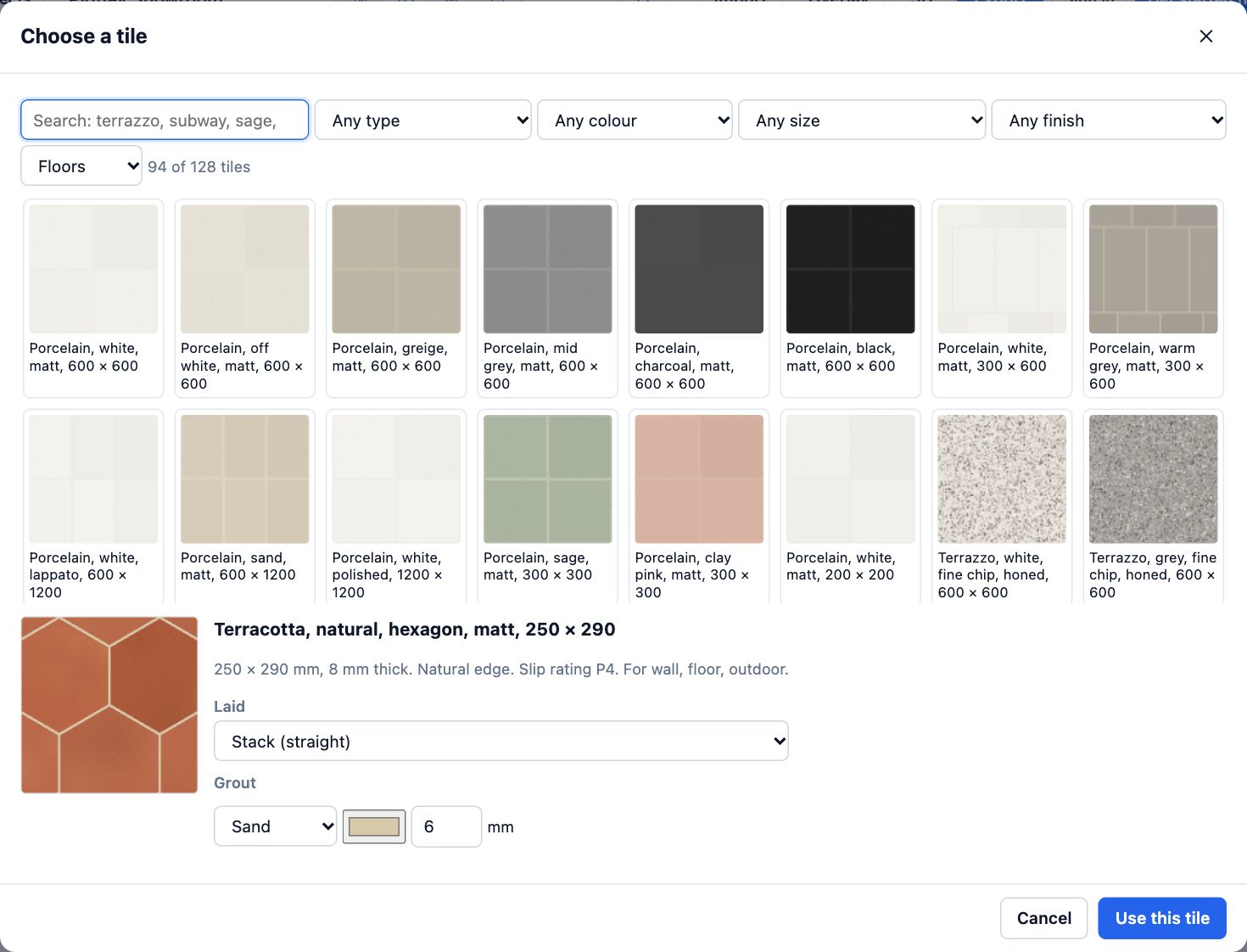
- Next to Floor tile choose Change… (it reads Choose tile… in a room without one). Filter the tiles by type, colour, size and finish, click one, then Use this tile. Paint… beside Wall colour chooses paint the same way.
- Choose Add fit-out…. Pick what it is from the grid (the room’s usual things come first), then the Wall, how far Along from its start, and its size in millimetres.
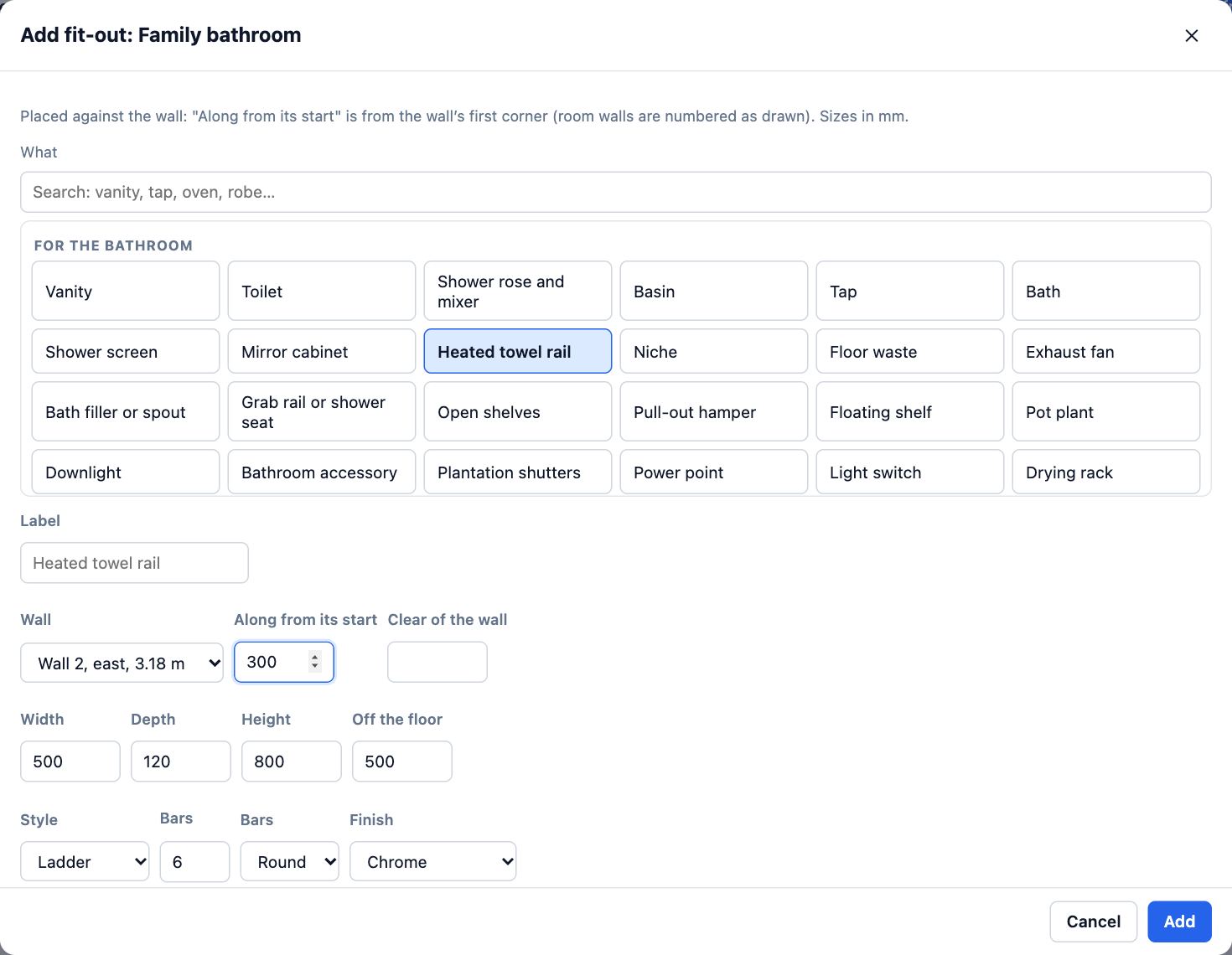
- Choose Add. The fitting shows on the plan, on that wall’s elevation and in 3D. Finish schedule lists everything in the room.
Tips
- Wall finishes by height… tiles part of a wall (to 1.2 m, or full height behind a shower) and paints the rest.
- Library items marked FIT-OUT are built in 3D against a wall; drag them from the Library tab instead if you prefer.
- Design options… keeps two versions of a room (two vanities, two tiles) to compare and show a client.
Common mistakes
- Setting finishes on Current when you meant the new work: schedules and 3D show Proposed only when you choose it.
- A fitting lands on the wrong wall: walls are numbered as the room was drawn. The Wall list says which way each one faces and how long it is.
Related lessons
Compare design optionsKeep two versions of a room in one project and show one at a time.4 minRead and download the schedulesGet the room, finish, door and window schedules on screen, fill in finishes, and download them as CSV.3 minMake elevations and sectionsGet scaled outside elevations, sections and inside wall views from the plan, and download them as a PDF.4 min
Steps checked in the app on 14 October 2026.