
Learn · Design codes and checks · Lesson 1 of 4
Choose the design codes for a project
You willPick the codes a project is checked against, from its address or by hand, and enter the facts they need.
Time4 min
Why it mattersThe check is only as good as the codes behind it: the wrong state or zone gives answers that mean nothing.
Try it in Plotlay → Opens an example project with this lesson beside it. Nothing to install.
Steps
- Choose Site, then Site details, and type the Property address with its state and postcode, such as 14 Example Street, Exampleton NSW 2999. Close the dialog.
- Choose Design codes. The panel says which state the address is in. Choose Use the codes for New South Wales to add that state’s codes and the national notes.

- Look down Used on this project: each pack shows its version and date. Untick any that don’t apply, such as the SA Planning and Design Code for a site outside South Australia.
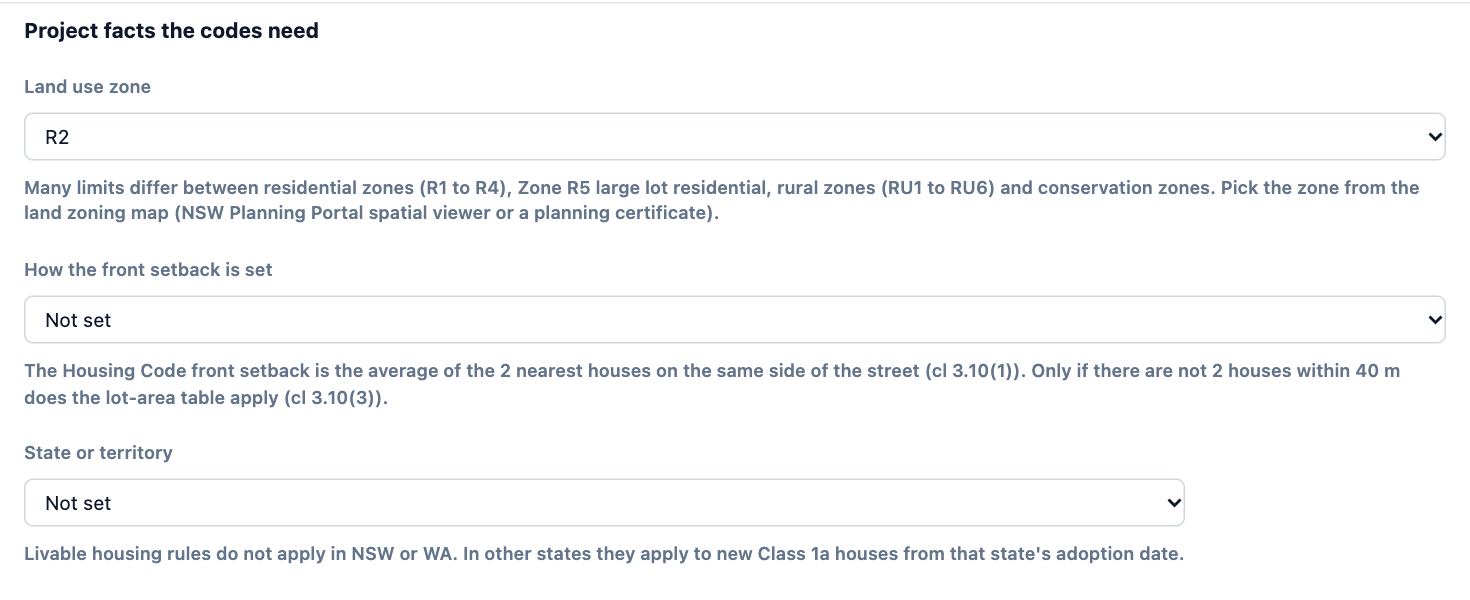
- Under Project facts the codes need, set what the drawing can’t hold, such as the Land use zone. A pack still missing a fact says Needs: under its name.
- To add another code, type a state, a country or a name in the search box under Add a design code, then choose Use beside it. Rules shows its checks first.
- Choose Check compliance… to run the check against the codes you chose.
Tips
- A pack stays at the version it was added at, so the same drawing gets the same answer next month. Update to appears beside it when a newer version is out.
- Packs marked indicative (building code and accessibility notes) are guidance, not the code a council assesses against.
- The common facts (building height, wall height, storeys, floor area, car spaces) are shared by every pack, so you enter each once.
Common mistakes
- Leaving the SA Planning and Design Code on for a site in another state: its rules then fill the check. Untick it.
- Skipping the project facts: every rule that needs the zone or a height reports UNKNOWN until it is set.
- An address with no state or postcode: Plotlay can’t tell the state, so nothing is suggested. Add them in Site details.
Words in this lesson
- Level
- A floor of the building, such as ground or upper. Each room, drawing and item sits on one level, and the plan shows one level at a time.
- Design code
- A set of planning or building rules for a place, such as a state’s planning code, built into Plotlay as a pack of checks. Choose the codes that apply to each project.
- PASS, WARN, FAIL and UNKNOWN
- The results of a check. UNKNOWN is not a pass: Plotlay is missing a measurement or a fact to tell, and the note says which.
Related lessons
Run a check and read the resultsCheck the design against its codes and read each PASS, WARN, FAIL and UNKNOWN with its clause.4 minRecord the site and its boundaryEnter the address, zone, overlays, street boundary and survey facts the application is assessed on.3 minMake your own template with tolerancesTurn an estate’s guidelines, a by-law or a client brief into checks with limits, tolerances and warn bands.5 min
Steps checked in the app on 14 October 2026.