
Learn · Clients and guests · Lesson 1 of 4
Open a project shared with you
You willOpen a link or an invite, look round the plan and 3D, and know what a free account adds.
Time3 min
Why it mattersYou can see the design straight away with no account; a free account lets you answer it.
Try it in Plotlay → Opens an example project with this lesson beside it. Nothing to install.
Steps
- Choose the link in the message or email you were sent. A view link opens straight away with no account: the plan, with Whole plan, 3D and Walk through in the panel on the right.
- Read the note from the person who shared it at the top of the panel. Starting view takes you back to where they wanted you to start.
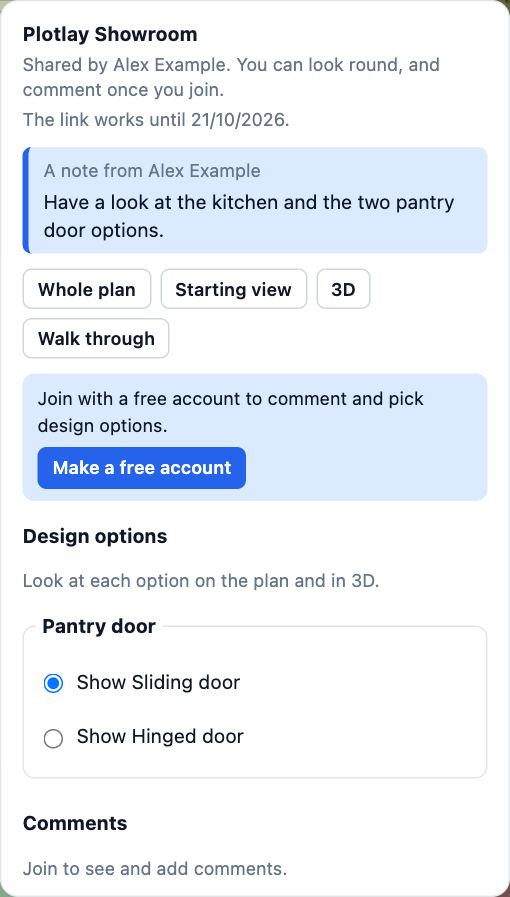
- To comment or pick between design options, choose Make a free account in the panel (or Join if you are already signed in). A free account is enough; nothing is charged.
- An invite by email asks you to sign in with the address it was sent to, then to Open it.
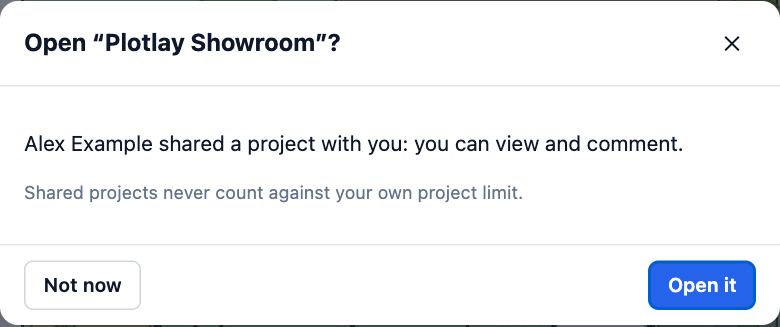
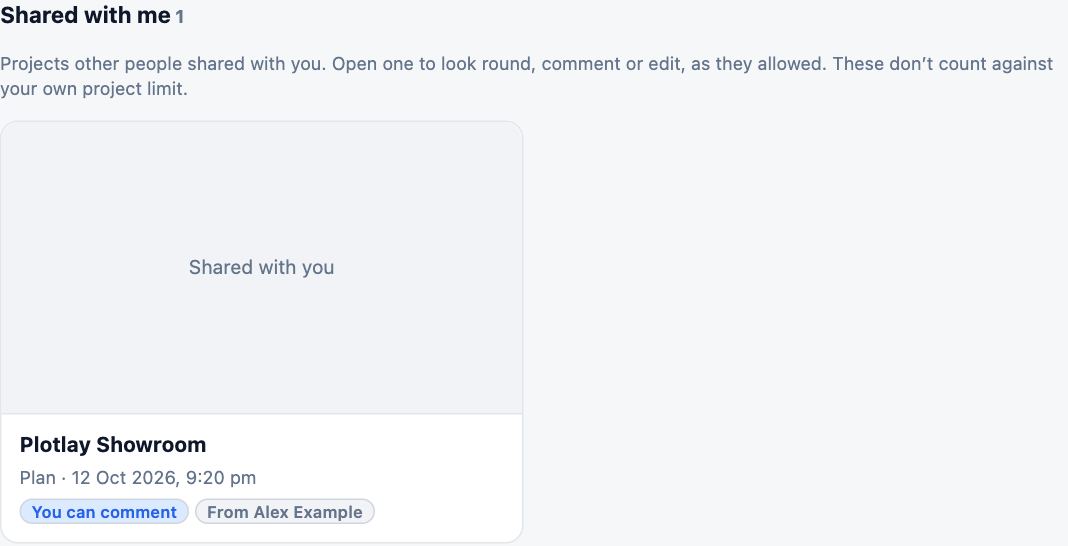
- Once you have an account, the project is under Shared with me on your dashboard, with what you can do. Shared projects never count against your own project limit.
Tips
- If the sender limited what you see, See everything shows the rest of the project, and Back to what was shared returns.
- A link from someone on the Free plan works for 7 days and shows a small Made with Plotlay mark. Ask them for a new link if it has run out.
Common mistakes
- Signing in with a different email from the one the invite went to: the invite is for that address. Use it, or ask the sender to invite the address you use.
- Expecting your changes to reach the owner from a view link: nothing you do there is saved to their project. Comment instead, or take a connected copy.
Words in this lesson
- Design option
- One of two or more versions of part of a design, such as two vanities, kept in one project. Only the chosen option shows; clients can pick the one they like.
- View link
- A link anyone can open to look round a project without an account. It can end after 7 or 30 days, or never, and you can turn it off at any time.
- Starting view
- Where a guest or link starts (the whole project, some rooms, the 3D model, an option set or a document), what they can see and change, and a note for them.
- Connected copy
- A guest’s own copy of a shared project that stays linked to the original. Changes made in it go back as a proposal, and later changes to the original can be pulled in.
Related lessons
Comment and pick design optionsPick the design option you prefer and leave comments pinned to the place they are about.3 minTry changes in a connected copyTake a linked copy of a shared project, change it, and send your changes back for the owner to review.4 minWalk through your plan in 3DTurn the plan into a 3D model, walk through it at eye height and save a picture.3 min
Steps checked in the app on 14 October 2026.