
Learn · Getting started · Lesson 5 of 6
Find anything with search
You willFind any tool, task, Library item, setting or how-to by typing what you want.
Time1 min
Try it in Plotlay → Opens an example project with this lesson beside it. Nothing to install.
Steps
- Press Ctrl+K (Cmd+K on a Mac), or choose Search (the magnifying glass in the top bar).
- Type what you want in your own words, such as tiles, vanity or GPS.
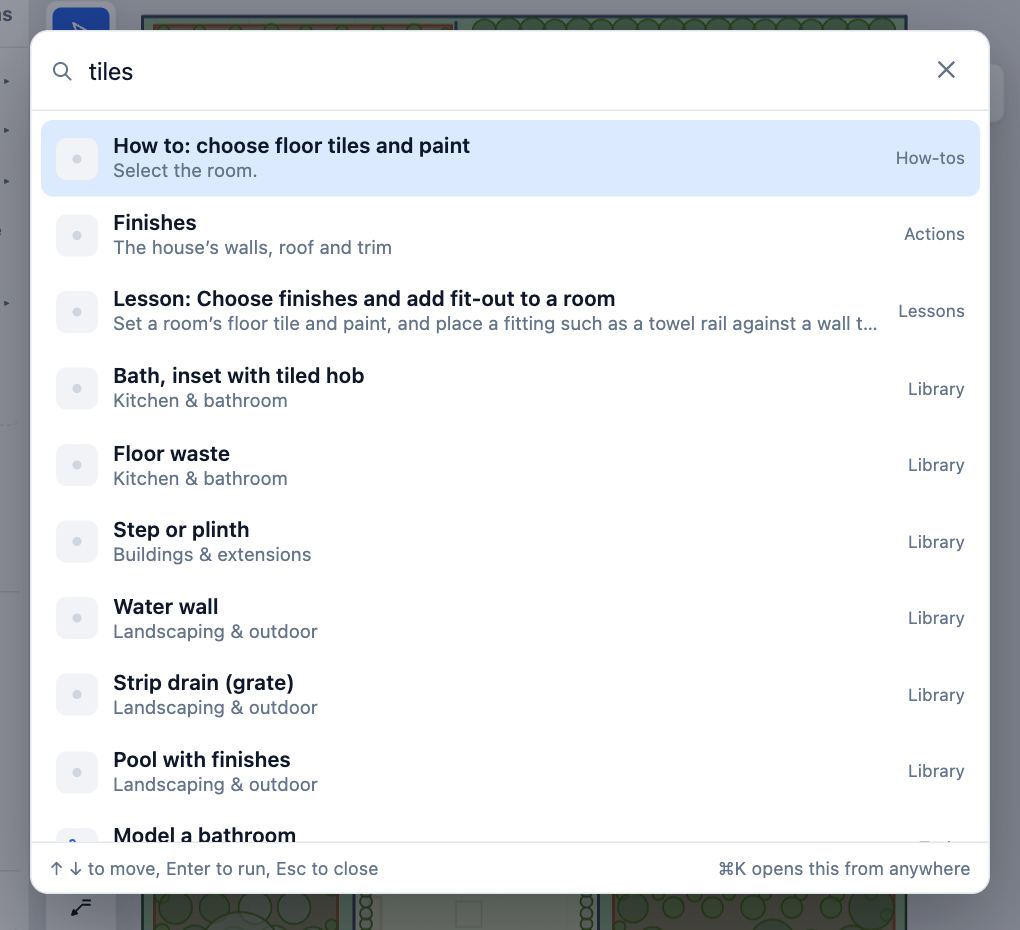
- Move with the arrow keys and press Enter, or click a result. Tools and tasks run straight away.
- A How to result shows its steps, with Do it to start. Lessons from this library are found here too.
- Choose Help (the question mark in the top bar) for just the how-tos and keyboard shortcuts.
Tips
- With nothing typed, search shows the common tasks and the last things you ran.
Common mistakes
- Typing in the address box on the map instead: that one only finds places.
Related lessons
Find your way round the dashboardKnow where to start a job, continue a project, open an example or get help.1 minSwitch workspacesBring forward the tools for site, building, capture or documents work.1 minUndo, redo and go back in HistoryTake back a mistake, or return the project to an earlier point.2 min
Steps checked in the app on 14 October 2026.