
Learn · Designers and builders · Lesson 1 of 9
Draft to exact sizes with the command line
You willDraw lines to exact lengths and angles with typed values, snaps and ortho, the way you would in CAD.
Time4 min
Try it in Plotlay → Opens Plotlay with this lesson beside it. Nothing to install.
Steps
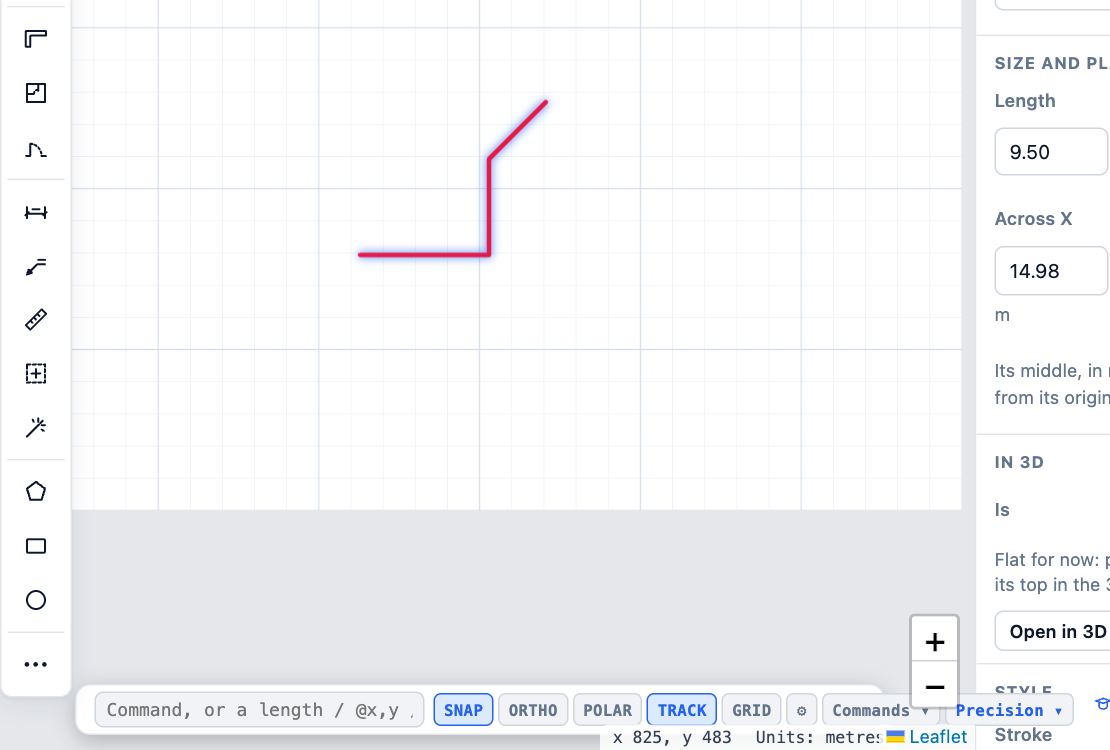
- On a plan, press Esc to put down any tool, then choose Precision on the drafting bar at the bottom. The snap switches SNAP, ORTHO, POLAR and TRACK appear, with Commands.
- Click in the box beside Command:, type L and press Enter to start a line. Every command has a short name like this.
- Click the first point. Then type 4 and press Enter for 4 m towards the pointer, @0,3 for 3 m straight up from the last point, or 2.5<45 for 2.5 m at 45 degrees.
- Press Enter again to finish the line. F8 turns ORTHO on and off (square to the drawing only); F3 is SNAP, F10 POLAR and F11 TRACK.
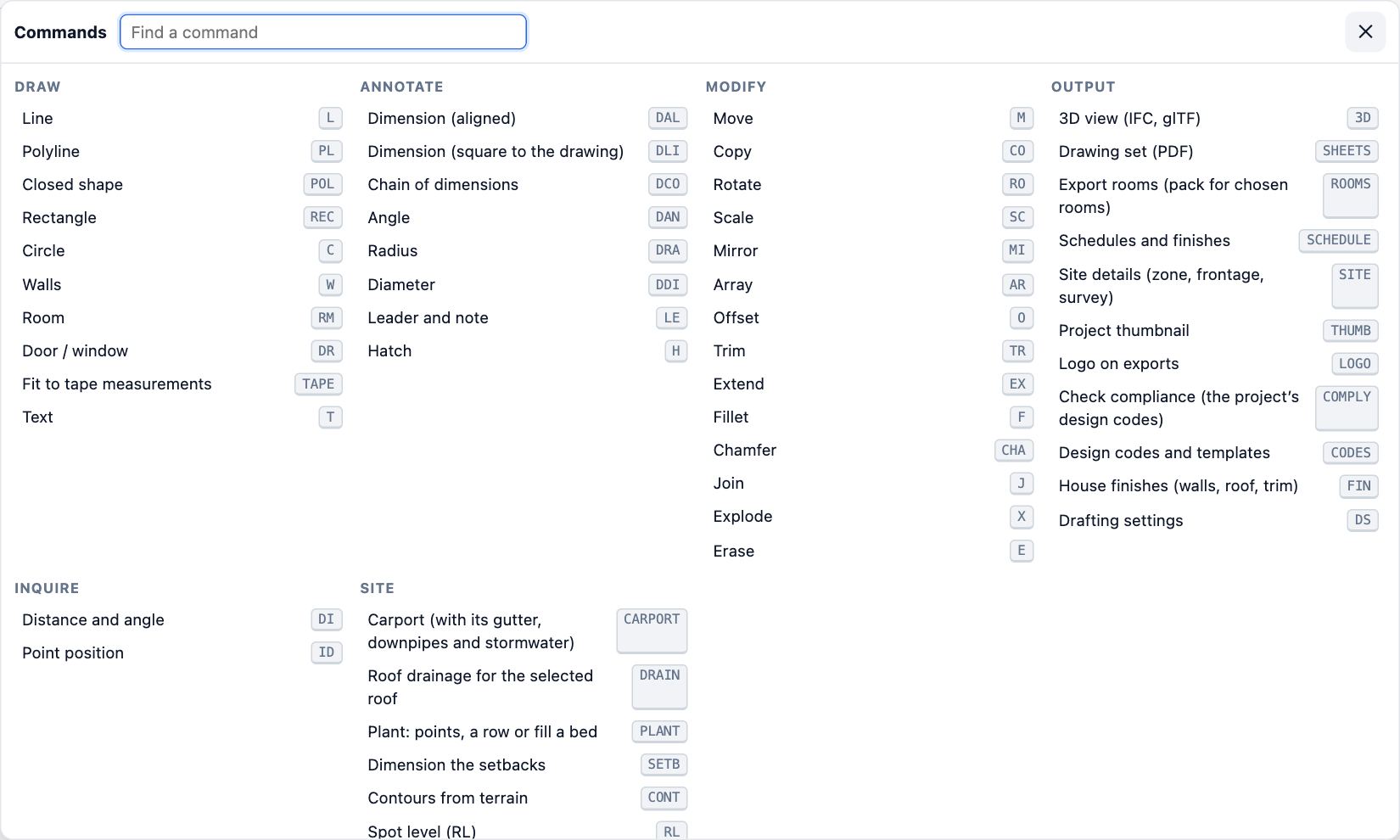
- Choose Commands for every command and its short name: Offset, Trim, Fillet, Mirror, Array, dimensions and more. Type in Find a command to filter.
Tips
- Hold Shift while you click for a free point that ignores the snaps.
- The ⚙ button on the drafting bar sets which snaps are on, the polar angle step, the grid and the dimension style.
- The same typed values work in the Walls and Room tools: 3.6 then Enter makes a 3.6 m wall.
Common mistakes
- Typing a length before clicking the first point: the first point always comes from a click (or @x,y from a snapped point).
- A length goes the wrong way: it follows the pointer, so point roughly where the line should go first, or give an angle with <.
- With Precision off the drafting bar only shows the length box. Snapping still works.
Related lessons
Draw walls, then add doors and windowsDraw walls of a set thickness to size, then put doors and windows in them and set their type.4 minDraw a room to sizeDraw a room by clicking its first corner and typing each wall length, then name it.3 minFind anything with searchFind any tool, task, Library item, setting or how-to by typing what you want.1 min
Steps checked in the app on 14 October 2026.